


Lenovo Laptop Charger Not Working – Causes & Step-by-Step Fix Guide
Lenovo Laptop Charger Not Working – Complete Guide
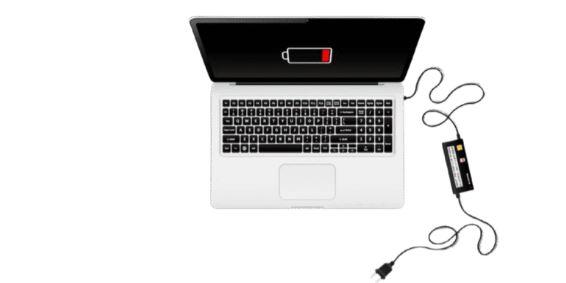
If your Lenovo laptop charger is not working, it can stop your device from charging or even turning on. This is a common issue caused by problems in the adapter, charging cable, power port, battery, or internal hardware.
The good news is that many cases can be fixed with simple troubleshooting before going for repair.
Common Symptoms
You may notice:
- Laptop not charging when plugged in
- No charging light on laptop
- Charger gets warm but no power
- “Plugged in, not charging” message
- Charging works only at certain angles
Main Causes of Lenovo Charger Not Working
1. Faulty Charger or Adapter
The most common reason is a damaged power adapter or internal fault in the charger.
2. Damaged Charging Cable
Broken or bent cables can stop proper power flow.
3. Loose or Damaged Charging Port
If the laptop port is loose or dusty, connection becomes unstable.
4. Battery Issue
A dead or faulty battery may prevent charging even if the charger is working.
5. Power Outlet Problem
Sometimes the issue is not the laptop but the wall socket or extension board.
6. Driver or System Glitch
Power management drivers or BIOS issues can interrupt charging behavior.
Step-by-Step Fix for Lenovo Charger Not Working
Step 1: Check Power Source
- Try a different wall socket
- Avoid extension boards temporarily
Step 2: Inspect Charger and Cable
- Look for cuts, burns, or bends
- Check if adapter LED (if present) is on
- Try another compatible Lenovo charger
Step 3: Perform a Power Reset
- Turn off laptop
- Unplug charger
- Hold power button for 30–60 seconds
- Reconnect charger and restart
Step 4: Remove Battery (If Possible)
- Remove battery
- Connect charger directly
- If laptop works → battery is faulty
Step 5: Check Charging Port
- Clean dust using soft brush
- Check for looseness or damage
Step 6: Update Drivers & BIOS
- Update battery and power drivers
- Install Lenovo system updates
Advanced Fix (Hardware Issue)
If none of the above works, possible hardware issues include:
- Charging IC failure
- Motherboard power issue
- Broken DC jack
These require professional repair.
How to Prevent Charger Problems
- Always use original Lenovo charger
- Avoid bending cables
- Do not pull charger by wire
- Keep charging port clean
- Avoid overheating during charging
Final Thoughts
A Lenovo laptop charger not working issue is usually caused by simple faults like a damaged adapter, cable, or loose connection. In most cases, it can be fixed with basic troubleshooting like resetting power or checking the charger.
If the issue continues after testing, it may indicate hardware failure that requires repair or replacement.
 Portuguese
 English
 Arabic
 French
 Spanish
 Deutsch
 Turkish
 Dutch
Dutch
 Italiano
 Russian
 Romaian
 Portuguese (Brazil)
 Greek
Greek